Nobody browses a chemistry catalog. Buyers paste an identifier — a CAS number, an MDL number, a SMILES string, or a name like 4-Amino-5-chloro-2-methoxybenzaldehyde — and expect the exact building block on the first page. Advanced ChemBlocks (achemblock.com) sells chemical building blocks on Magento 2, and Magento 2 delegates all of that to Elasticsearch.
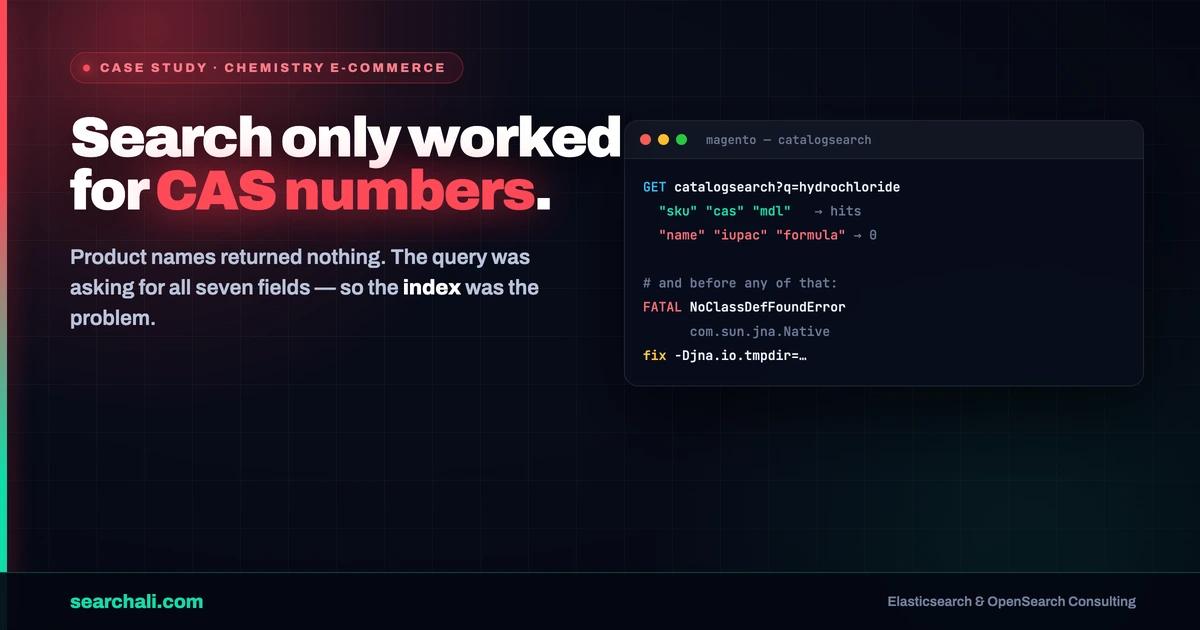
Then they changed hosting. The new shared-hosting environment did not support Elasticsearch at all, self-installs kept dying with a cryptic fatal error, and the fallback cluster they eventually got running in Docker had a fresh problem: out of seven searchable attributes, only three returned results on the storefront. Here is what the evidence pack actually shows — no invented numbers.
Quick answer: "Elasticsearch doesn't work on this server" turned out to be a JNA fatal error at boot — the JVM could not extract and execute JNA's native library from the temp directory. Setting -Djna.io.tmpdir to a directory the elasticsearch user owns fixed the crash and reopened the path to the 7.17 line their Magento version needed. And the "name field returns nothing" symptom? The captured Magento query proves every searchable attribute is requested with explicit boosts — so that bug lives in the index, not in the query.
Challenge
Advanced ChemBlocks migrated their Magento 2 store from a managed host — where Elasticsearch 7.17.11 had worked flawlessly and every searchable field functioned — to a shared-hosting provider whose team does not support Elasticsearch. They tried to install it themselves. The sequence, straight from their own description:
- Elasticsearch 8.x — incompatible with their older Magento version. Did not work.
- Elasticsearch 7.17.11 via RPM — "failed to function correctly on our server." No luck.
- Elasticsearch 7.8.1 via Docker — finally operational.
But operational is not the same as correct. Magento was configured with seven searchable attributes: name, sku, cas, mdl, formula, iupac, and smiles. Only sku, cas, and mdl returned results on the front end. The name field was visibly present when they queried Elasticsearch from the terminal — yet storefront searches on product names came back empty. Their working theory was version incompatibility, since everything had worked on 7.17.11 before the migration.
For a chemistry vendor this is not cosmetic. A customer who searches hydrochloride or a full IUPAC name and gets nothing assumes you do not stock the compound.
Diagnosis
The version problem that wasn't
The first hard evidence was a fatal error in the Elasticsearch log on their own server:
[2023-07-14T09:40:47,382][ERROR][o.e.b.ElasticsearchUncaughtExceptionHandler]
fatal error in thread [main], exiting
java.lang.NoClassDefFoundError: Could not initialize class com.sun.jna.Native
Elasticsearch uses JNA for native calls (memory locking, temp file handling). JNA extracts its native library into a temporary directory and then loads and executes it from there. On hardened or shared hosts, the temp directory is often mounted noexec — JNA cannot execute what it extracted, the class fails to initialize, and Elasticsearch exits in main before it ever binds a port.
That failure mode is consistent with the whole mystery pattern: native RPM installs "did not work on this server" while the same software ran fine in Docker (which brings its own filesystem) and had run fine on the previous host. The suspect was never the Elasticsearch version. It was the execution environment.
What one captured query proves
The second piece of evidence was the actual search request Magento sends to Elasticsearch. Trimmed to the shape that matters:
{
  "query": {
    "bool": {
      "must": [{ "terms": { "visibility": ["3", "4"] } }],
      "should": [
        { "match": { "_search": { "query": "...", "boost": 2.0 } } },
        { "match": { "name":    { "query": "...", "boost": 9.0 } } },
        { "match": { "sku":     { "query": "...", "boost": 11.0 } } },
        { "match": { "formula": { "query": "...", "boost": 8.0 } } },
        { "match": { "mdl":     { "query": "...", "boost": 8.0 } } },
        { "match": { "iupac":   { "query": "...", "boost": 7.0 } } },
        { "match": { "smiles":  { "query": "...", "boost": 8.0 } } },
        { "match": { "cas":     { "query": "...", "boost": 10.0 } } },
        { "match_phrase_prefix": { "name": { "analyzer": "prefix_search" } } },
        { "match_phrase_prefix": { "sku":  { "analyzer": "sku_prefix_search" } } }
      ],
      "minimum_should_match": "1"
    }
  },
  "track_total_hits": 2147483647
}
Every match clause also carries operator: OR, minimum_should_match: "3", max_expansions: 50, and fuzzy_transpositions: true; the request ends with a price histogram aggregation for the layered navigation sidebar.
This single capture settles the most important question. Magento is asking for name — at boost 9.0, third-highest after sku (11.0) and cas (10.0). The query construction is fine. When a field is present in the request and still never matches, the problem is on the index side: mapping, analyzer, or the documents themselves.
Chemistry identifiers vs analyzed text
The per-clause minimum_should_match: "3" is where chemistry data gets interesting. A query like 4-Amino-5-chloro-2-methoxybenzaldehyde is analyzed into multiple terms, and at least three of them must match inside a given field. Identifier fields like cas and mdl hold short, regular codes, and they were matching. Long analyzed text like name and iupac only matches if the index-side analyzer tokenizes the stored value compatibly with the search-side analysis — hyphen-and-digit-heavy chemical nomenclature is exactly the kind of text where an analyzer mismatch makes a field look populated in a terminal _search yet return zero storefront hits. The capture narrows the hunt to precisely that layer.
Solution
The boot crash has a documented, boring fix — point JNA at a temp directory the elasticsearch user owns and can execute from, per Elastic's JNA temporary directory guidance:
# /etc/sysconfig/elasticsearch
ES_JAVA_OPTS="-Djna.io.tmpdir=/var/lib/elasticsearch/tmp"

mkdir -p /var/lib/elasticsearch/tmp
chown -R elasticsearch:elasticsearch /var/lib/elasticsearch/tmp
The equivalent alternative is setting -Djava.io.tmpdir=${ES_TMPDIR} in /etc/elasticsearch/jvm.options.
With the crash removed, the native install path stops being a dead end — which matters because the goal was never "any Elasticsearch," it was 7.17.11, the version their Magento release actually supports and the one proven to serve all seven fields correctly on the previous host. Chasing the field symptom then follows the standard index-side method: compare the index mapping and analyzers against a known-good reference, verify token output with _analyze for a real product name, and reindex from Magento. The evidence pack records the diagnosis and the crash fix; it does not include the final reindex artifacts, so I will not narrate an ending I cannot show.
Results
Only what the source pack supports:
| Result | Evidence |
|---|---|
| Fatal JNA boot crash identified and fixed | Error log + documented jna.io.tmpdir fix with exact commands |
| "Wrong version" theory retired | Same failure absent in Docker and on previous host; crash is environmental |
| Elasticsearch operational during engagement | 7.8.1 running in Docker; 7.17.11 as the Magento-supported target |
| Search request anatomy documented | Full production query captured, all 7 attributes with boosts |
| Field symptom isolated to the index side | name present in query at boost 9.0 yet returning no storefront hits |
What I will not claim: search latency, conversion lift, or a before/after match-rate percentage. Those numbers are not in the source pack, and the final reindex outcome for the text fields was not recorded in it either.
Key Takeaways
- Read the fatal error before switching versions. A boot crash in
mainis a log line away from its cause; version roulette hides it. noexectemp directories kill JNA. On shared or hardened hosts, set-Djna.io.tmpdirto a directory theelasticsearchuser owns.- "Docker works, RPM doesn't" is a clue about the host, not the package. The container ships its own filesystem assumptions.
- Capture the real query first. If the field is in the request, stop debugging the application and start debugging the mapping and analyzers.
- Identifiers and nomenclature are different search problems. SKU/CAS/MDL codes and hyphen-heavy chemical names need deliberate, per-field analysis —
minimum_should_match: "3"amplifies any tokenization mismatch. - Know what Magento asks for.
track_total_hits: 2147483647demands exact hit counts on every search — a real cost on large catalogs.
If your e-commerce search is misbehaving and the logs are a wall of Java, this is the kind of ground-level debugging I do — and once search is healthy, keeping it that way is a monitoring problem: searchali.com/en/monitoring.
Elasticsearch trouble on your store? → searchali.com