Every few weeks the same bug lands on my desk: a query that matches documents it should not, or an aggregation that sums values it should not. Nine times out of ten the mapping says object where the data model says nested—or the mapping says nested and nobody wired the aggregation through a nested block.
This guide is the version I wish I could just link every time. One runnable dataset, the nested-vs-object trap, a working nested aggregation, inner_hits to show which element matched, and the performance bill you pay for all of it. Copy the snippets into Kibana Dev Tools and run them.
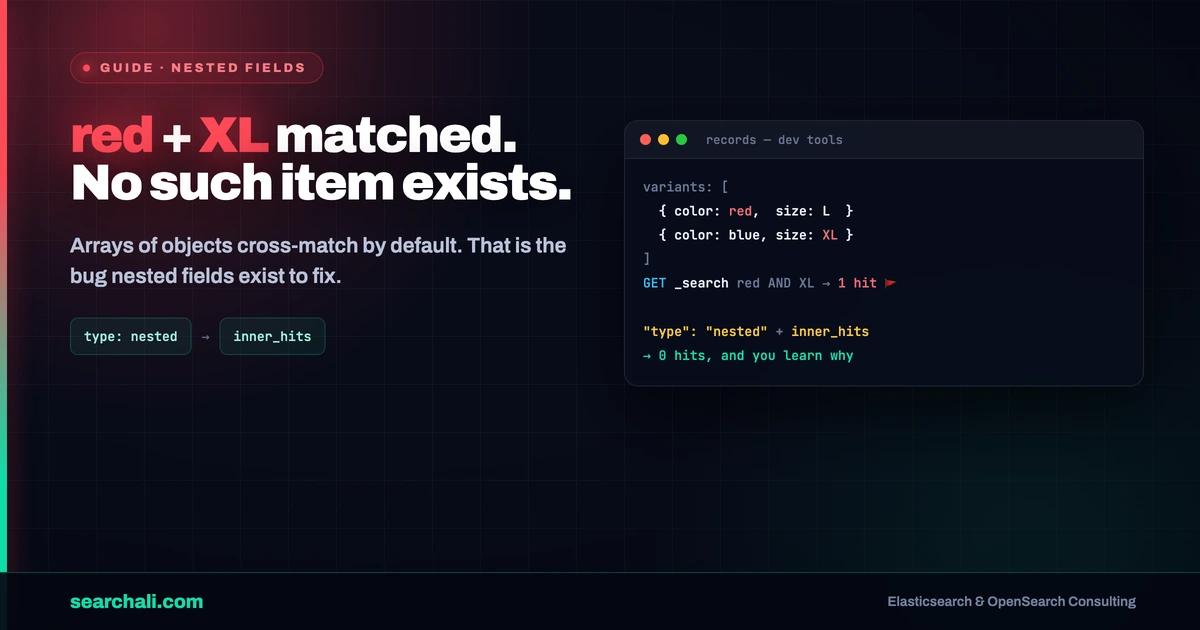
Quick answer: Elasticsearch flattens arrays of objects by default, so field values from different array elements get mixed together and queries cross-match. The nested type indexes each element as a hidden sub-document, keeping fields together—but then every query and aggregation must go through a nested block with the right path, and inner_hits is how you see which element matched. The cost: each nested element is an extra Lucene document, so index size, indexing time, and update cost all grow with array length.
Nested vs object: the cross-match trap
Default object mapping flattens arrays. This document:
PUT products/_doc/1
{
  "name": "hoodie",
  "variants": [
    { "color": "red",  "size": "s",  "stock": 4 },
    { "color": "blue", "size": "xl", "stock": 0 }
  ]
}
is indexed internally as variants.color: ["red", "blue"] and variants.size: ["s", "xl"]. The association between red and s is gone. So this query matches, even though no red XL variant exists:
GET products/_search
{
  "query": {
    "bool": {
      "must": [
        { "term": { "variants.color": "red" } },
        { "term": { "variants.size": "xl" } }
      ]
    }
  }
}
That is the whole reason nested exists. With a nested mapping, each variant becomes its own hidden document and the red + xl combination correctly matches nothing:
PUT products
{
  "mappings": {
    "properties": {
      "name": { "type": "text" },
      "variants": {
        "type": "nested",
        "properties": {
          "color": { "type": "keyword" },
          "size":  { "type": "keyword" },
          "stock": { "type": "integer" }
        }
      }
    }
  }
}
Rule of thumb: if you never query fields of the objects in combination (or the array always has one element), plain object is fine and cheaper. The moment "color AND size of the same variant" matters, you need nested. Full type reference: Elastic's nested field type docs.
Nested aggregations: step into the path first
Aggregations do not see nested sub-documents unless you explicitly step into them with a nested aggregation. This is the pattern from the raw example that seeded this guide—an index with a nested records field, and a sum over only the elements that match a filter:
PUT records
{
  "mappings": {
    "properties": {
      "records": {
        "type": "nested",
        "properties": {
          "data":  { "type": "keyword" },
          "value": { "type": "integer" }
        }
      }
    }
  }
}

POST records/_doc
{
  "records": [
    { "data": "test1", "value": 1 },
    { "data": "test2", "value": 2 }
  ]
}

GET records/_search
{
  "size": 0,
  "aggs": {
    "all_records": {
      "nested": { "path": "records" },
      "aggs": {
        "only_test2": {
          "filter": { "term": { "records.data": "test2" } },
          "aggs": {
            "total_value": { "sum": { "field": "records.value" } }
          }
        }
      }
    }
  }
}
Response shape:
{
  "aggregations": {
    "all_records": {
      "doc_count": 2,
      "only_test2": {
        "doc_count": 1,
        "total_value": { "value": 2.0 }
      }
    }
  }
}
Two things trip people up here. First, all_records.doc_count is 2—nested aggregations count nested elements, not parent documents. One parent with two records reports two docs. Second, the filter sub-aggregation is what scopes the sum to matching elements only; if you put the filter in the query instead, the nested agg still iterates all elements of every matching parent, and test1 values leak into your sum. Filter inside the nested scope when you want per-element math. To jump back to parent-level aggregations afterwards, use reverse_nested.
inner_hits: which element actually matched
A nested query returns the whole parent document. Your API consumer then asks: "fine, but which variant matched?" That is inner_hits:
GET products/_search
{
  "query": {
    "nested": {
      "path": "variants",
      "query": {
        "bool": {
          "must": [
            { "term": { "variants.color": "red" } },
            { "range": { "variants.stock": { "gt": 0 } } }
          ]
        }
      },
      "inner_hits": {
        "size": 3,
        "_source": ["variants.color", "variants.size", "variants.stock"]
      }
    }
  }
}
Each hit now carries its matching elements, with the array offset:
{
  "hits": {
    "hits": [
      {
        "_id": "1",
        "_source": { "name": "hoodie", "variants": [ "..." ] },
        "inner_hits": {
          "variants": {
            "hits": {
              "total": { "value": 1, "relation": "eq" },
              "hits": [
                {
                  "_nested": { "field": "variants", "offset": 0 },
                  "_source": { "color": "red", "size": "s", "stock": 4 }
                }
              ]
            }
          }
        }
      }
    ]
  }
}
_nested.offset tells you the element's position in the original array—useful for highlighting the right row in a UI. Sizing note: inner_hits.size defaults to 3 and each inner hit is fetched per parent hit, so a search page of 50 parents with size: 100 inner hits is a fetch amplification you will feel. Details in Elastic's inner_hits documentation.
What nested costs you
Nothing here is free. Know the bill before you sign:
- Hidden documents. A parent with 100 nested elements is 101 Lucene documents. Index size and segment merge work scale with element count, not document count.
- Updates rewrite everything. Nested sub-documents cannot be updated independently; changing one element reindexes the parent and all of its elements.
- Guardrails exist for a reason. Defaults:
index.mapping.nested_fields.limitis 50 nested fields per index,index.mapping.nested_objects.limitis 10,000 nested elements per document. If you are raising these, your data model is asking to be split into separate documents. - Query overhead. Nested queries and
inner_hitsdo join-like work at query time; on wide arrays this shows up in search latency and fetch time.
Alternatives when the cost bites: denormalize each element into its own document (my default for high-cardinality arrays), use the flattened type when you only need exact matches without per-element combinations, or a join field when children must be updated independently—accepting its own query-time cost. If nested-heavy queries are already in production, watch their latency per node before users do—that is exactly what searchali.com monitoring is built for.
Frequently Asked Questions
When should I use nested instead of object?
Use nested only when you query multiple fields of the same array element in combination (color = red AND size = xl on one variant). If elements are queried independently, or the array holds a single object, keep the default object mapping—it is cheaper to index, update, and query.
Why does my aggregation on a nested field return doc_count 0?
Because the aggregation never stepped into the nested scope. Terms, sum, or avg directly on variants.color at the top level sees nothing; wrap it in a nested aggregation with "path": "variants" first. Same rule for queries: a plain term query on a nested field silently matches nothing.
Does inner_hits make queries slower?
Yes, moderately—it adds a per-parent fetch phase for matching sub-documents. Keep inner_hits.size small (default 3), trim _source to the fields you display, and avoid it on queries where you never show the matching element.
Can I sort search results by a nested field?
Yes. Use the sort clause with a nested block (path plus an optional filter) and a mode like min or max to pick which element's value represents the parent. Without the nested block in the sort, Elasticsearch cannot resolve which sub-document to read.
Key Takeaways
- Default
objectmapping flattens arrays—cross-element matches are a mapping bug, not a query bug. - Aggregations on nested fields need a
nestedagg with the rightpath; otherwise you get zero or garbage. - Put element-level filters inside the nested aggregation scope, or values from non-matching elements leak into your math.
inner_hits(with_nested.offset) is the answer to "which element matched"—keep itssizeand_sourcetight.- Every nested element is a hidden Lucene document: 100 variants = 101 docs, and one element update reindexes them all.
- Defaults cap you at 50 nested fields per index and 10,000 nested objects per document—hitting those limits is a data-model smell.
Fighting a slow or misbehaving Elasticsearch cluster? Reach out at searchali.com.